




Promoted articles
What should I do if my package is missing, lost, or returned to sender?
Tracking your package
Please verify whether your package was marked as delivered by checking your order’s tracking number. You can find your tracking number by going to the Pokémon Center website, logging in with your Pokémon Center account, and selecting your order under Recent Order History. From there, select Track your package to find your tracking details. Please check your tracking details for a photo of the location of your delivery.
If you don’t have a Pokémon Center account or you checked out as a guest, you can check your order status by entering your Order ID and Shipping Postal Code, then select Find My Order for guest shoppers.
- Pokémon Center United States
- Pokémon Center Canada
- Pokémon Center United Kingdom
- Pokémon Center Germany
- Pokémon Center Australia
- Pokémon Center New Zealand
My package is missing
If you can’t find your package, sometimes a package may be marked as delivered but does not appear to have arrived. Occasionally, packages are marked as delivered prior to delivery. It is also possible that packages may be left at an alternate location at your address. For example, a package may be left at a back door or in a common area. Please check your tracking details for a photo of your delivery location. You may also consider inquiring with neighbors and/or your building’s office to see if it was left with them.
If you still can’t find your package, please contact us.
- For customers located in Germany, please use your regional Help Center.
- For customers located in Australia and New Zealand, please use your regional Help Center.
My package is lost
We can assist with lost packages after a certain time period without updates to the tracking information. Please see the below table for the time period that applies to your package. If the time period elapses and there is no update or you still haven’t received your package, please contact us.
- For customers located in Germany, please use your regional Help Center.
- For customers located in Australia and New Zealand, please use your regional Help Center.
We understand that seeing a Pokémon Center package marked as pending for an extended period of time can be frustrating but your package may still be delivered before the times listed below.
| County/Territory | Days Pending Delivery |
| United States | 15 days (30 days for SmartPost) |
| Canada | |
| Guam, Puerto Rico, and other US Territories | 30 days |
| APO/Military Address | 45 days |
| United Kingdom | 9 days |
| Germany | 15 days |
| Australia | 30 days |
| New Zealand | 30 days |
If your package is marked lost or is still pending after this time period, please contact us.
- For customers located in Germany, please use your regional Help Center.
- For customers located in Australia and New Zealand, please use your regional Help Center.
My package was returned to sender
If the tracking information is marked as returned to sender, this means the package was returned to us because of issues with the delivery address. In most cases, you will be automatically refunded within 5-10 business days after we receive the returned package. To avoid any future delivery issues, review your shipping details by going to https://www.pokemoncenter.com/account and update your shipping address before placing a new order with us.
We are unable to replace any items that were returned to sender, including any items that are out of stock. You will need to place a new order. We apologize for the inconvenience.
If you do not automatically receive a refund back to your original payment method within 5-10 business days, please contact us.
- For customers located in Germany, please use your regional Help Center.
- For customers located in Australia and New Zealand, please use your regional Help Center.
How do I contact Pokémon Center Support?
If you can’t find the information that you are looking for on our support site, please find your region below to get in touch with someone to help!
Pokémon Center US, Canada, and UK
Chat
Agents are available 24/7 to assist with your issue.
Select the chat icon on the bottom right of your screen to start a new chat.
- Chat is a great way to get help with questions about your order. When you start a chat, you will be presented with various types of issues and by selecting the one most related to your question, our agents will have better information to assist you more quickly.
- Occasionally, more complex cases will be moved from chat to email, but rest assured we are doing our best to assist.
If you prefer to submit an email ticket, an agent will typically respond within 24 hours.
Submit an email ticket here.
- Any issue that we can help with can be assisted with via email!
- Some issues may receive a much faster automated response if we think we know the answer based on your question, but you can always respond if we didn’t get it right.
- Occasionally, email responses will be delayed due to a high volume of inquiries, but rest assured we are working as quickly as possible to respond.
Do you offer phone support?
At this time, Pokémon Center does not offer phone support.
We are focused on providing accurate answers as quickly as possible, and we believe that chat and email are the best ways to accomplish this. We also don’t like waiting on hold any more than you do!
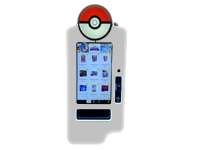
Need help with a Pokémon vending machine?
Check out our Pokémon Vending Machine FAQ where you can find answers to frequently asked questions as well as contact information. You can also check out our Pokémon Vending Machine Locator to see if there’s one near you!
Pokémon Center Germany, Australia, and New Zealand
Customer support in our Pokémon Center Germany, Australia, and New Zealand regions is managed by our global fulfilment partner, Global-e.
- For customers located in Germany, please see your regional Help Center.
- For customers located in Australia and New Zealand, please see your regional Help Center.
How do I cancel or modify the contents of my order?
Can I cancel or modify my order once it’s been placed?
Once an order has been placed with Pokémon Center, it cannot be canceled. Additionally, the contents of the order cannot be modified.
Pokémon Center prioritizes shipping orders quickly, and as such, our warehouses are unable to accommodate cancelation or modification requests.
Can I return the items I don’t want?
Any Pokémon Center item that is not a final sale item can be returned within 30 days of delivery.
How do I start a new return, or check on my existing return?
To start a return or check the status of your existing return:
Please navigate to the appropriate regional link, found in the table below:
- Select Start a Return.
- Enter your fulfillment ID (or order ID) and email address used to place the order.
- Learn how to find your fulfillment ID (or order ID) in this article: How do I make a return or check the status of my return?.
How do I cancel my preorder?
How do I make a return or check the status of my return?
- Please make sure the product is adequately packed.
- If possible, return products in the original packaging that they were sent to you in. Returns received not in the original packaging may be subject to a restocking fee.
- All refunds go to the original purchaser. Credits or refunds will be made to the same method of payment and account used to place the original order.
Please do not return shattered glass, ceramics or other material that may cause injury. Please contact Pokémon Center support here.
Only products purchased on the following websites can be returned to Pokémon Center:
- Pokémon Center United States
- Pokémon Center Canada
- Pokémon Center United Kingdom
- Pokémon Center Germany
- Pokémon Center Australia
- Pokémon Center New Zealand
If you purchased a Pokémon product from a retailer, please contact that retailer directly to confirm their return policy.
Before initiating a return, you will need your fulfillment ID from your order. You can find your fulfillment ID by going to the Pokémon Center website, logging in with your Pokémon Center account, and selecting your order under Recent Order History.
If you don’t have a Pokémon Center account or you checked out as a guest, you can check your order status by entering your Order ID and Shipping Postal Code, then select Find My Order for guest shoppers.
To initiate a return or check the status of your existing return, select the appropriate link below, select Start a Return, and enter your fulfillment ID and order email.
- US: https://www.pokemoncenter.com/return-policy
- Canada: https://www.pokemoncenter.com/en-ca/return-policy
- UK: https://www.pokemoncenter.com/en-gb/return-policy
- Germany: https://www.pokemoncenter.com/en-de/return-policy
- Australia: https://www.pokemoncenter.com/en-au/return-policy
- New Zealand: https://www.pokemoncenter.com/en-nz/return-policy
Once your returned item is received, we will notify you via email that we have received your item and that the refund is in process. All refunds go to the original purchaser. Credits or refunds will be made to the same method of payment and account used to place the original order.
Pokémon Center Gift Card FAQ
Pokémon Center is now offering eGift cards as a fun new way to give back to your friends and family! Here are some commonly asked questions to help you navigate our new payment option.
How do I use my gift card?
- All gift cards must be used on pokemoncenter.com and can only be redeemed for online purchases. Gift cards cannot be used for preorders. Gift cards cannot be used at pop-up stores, or physical retailers.
- When you receive your email containing your gift card, please select the claim button.
After selecting the claim button, your gift card will appear in your browser. Please take note of the Gift Code and the Pin as you will need these pieces of information during the checkout step to apply the gift card balance to your Pokémon Center order.
Make sure to save the email message with your gift card so that you can use it to check your balance in the future.
- To make a purchase with a gift card, enter your gift card number and pin at checkout, and hit ‘apply’.
- Your gift card balance will be applied against the total cost of your order.
How do I check my gift card balance?
To check your gift card balance, please open the original gift card delivery email. Select the link to view the gift card page and your new balance will generate under “amount.”
Can I reload my gift card?
It is not possible to reload Pokémon Center gift cards. However, you are welcome to purchase a new gift card.
Can I purchase a gift card to meet a gift-with-purchase minimum requirement?
No, gift cards cannot be purchased to meet a gift-with-purchase requirement.
Can I pay for a purchase with another payment method and a gift card?
Yes! You can split payment methods on a purchase if your gift card does not cover the full amount of the purchase. Gift card balances will be fully used before your other payment method is required.
- To do so, simply enter your gift card number and pin, and hit ‘apply’.
- Then, select an additional payment method from the drop-down menu and your details.
Please note: You may split payment methods between a gift card and the following options if your gift card does not cover the full amount of the purchase:
- PayPal
- Credit Card
- Debit Card
At this time, it is not possible to split payments using Apple Pay or additional gift cards.
Can I use multiple gift cards on the same transaction?
At this time, you are not able to use multiple gift cards to place an order. You are limited to using one gift card as a payment method per order. We apologize for the inconvenience. Please check back in the future for updates!
Do gift cards expire?
No, gift cards do not have an expiration date. If it has been over five years since the card was last used, the code may become inactive. Any funds on the gift card will still be available, but you will need to reach out to customer service for help reactivating your card.
I haven’t used my gift card in a long time, and now it won’t work. What’s going on?
If it has been over five years since the card was last used, the code may become inactive. Any funds on the gift card will still be available, but you will need to reach out to customer service for help reactivating your card.
Where are gift cards available?
Gift cards are now available in the United States, Canada, and the United Kingdom! Gift cards must be used on the same regional site where they were purchased. For example, you may not use a gift card purchased on the United States store on a Pokémon Center UK purchase.
Who should I contact if I have an issue purchasing a gift card or my gift card was never delivered?
Please contact pokemon@buyatab.com for more help.
Who should I contact if I need help using my gift card on Pokémon Center?
Please contact Pokémon Center support here.
Can I change the address on my order, or modify my delivery options?
Please find your region below:
United States
At this time, we cannot accommodate address changes on orders which have already been placed.
In addition, our carrier partners in the United States are unable to accommodate requests to reroute or hold packages at a local facility.
Canada
At this time, we cannot accommodate address changes on orders which have already been placed.
In addition, our carrier partners in Canada are unable to accommodate requests to reroute or hold packages at a local facility.
United Kingdom
Depending on your carrier, you may have the ability to modify your delivery options. Please see below:
DPD
Website: https://www.dpd.com/nl/en/
Note: The above link takes you to a web page not created or maintained by The Pokémon Company International.
- At this time, deliveries cannot be modified with DPD.
- If you have further queries about your delivery, please reach out to DPD at the above web address.
Royal Mail
Website: https://www.royalmail.com/
Note: The above link takes you to a web page not created or maintained by The Pokémon Company International.
Note regarding Royal Mail delivery modifications:
- All delivery modifications are made at the customer’s own risk
- We may not be able to accommodate support requests as a result
There are a number of options available for delivery modification with Royal Mail. Please follow the below steps to begin the process:
- Track your delivery at https://www.royalmail.com/track-your-item
- Please ensure you have your tracking/reference Number available.
- Simply enter your tracking/reference number and select Track your delivery.
- Select Update delivery options.
- Select one of the provided delivery options.
Germany
At this time, we cannot accommodate address changes on orders which have already been placed.
In addition, our carrier partners in Germany are unable to accommodate requests to reroute or hold packages at a local facility.
Australia and New Zealand
At this time, we cannot accommodate address changes on orders which have already been placed.
In addition, our carrier partners in Australia and New Zealand are unable to accommodate requests to reroute or hold packages at a local facility.
What should I do if my package is missing, lost, or returned to sender?
Tracking your package
Please verify whether your package was marked as delivered by checking your order’s tracking number. You can find your tracking number by going to the Pokémon Center website, logging in with your Pokémon Center account, and selecting your order under Recent Order History. From there, select Track your package to find your tracking details. Please check your tracking details for a photo of the location of your delivery.
If you don’t have a Pokémon Center account or you checked out as a guest, you can check your order status by entering your Order ID and Shipping Postal Code, then select Find My Order for guest shoppers.
- Pokémon Center United States
- Pokémon Center Canada
- Pokémon Center United Kingdom
- Pokémon Center Germany
- Pokémon Center Australia
- Pokémon Center New Zealand
My package is missing
If you can’t find your package, sometimes a package may be marked as delivered but does not appear to have arrived. Occasionally, packages are marked as delivered prior to delivery. It is also possible that packages may be left at an alternate location at your address. For example, a package may be left at a back door or in a common area. Please check your tracking details for a photo of your delivery location. You may also consider inquiring with neighbors and/or your building’s office to see if it was left with them.
If you still can’t find your package, please contact us.
- For customers located in Germany, please use your regional Help Center.
- For customers located in Australia and New Zealand, please use your regional Help Center.
My package is lost
We can assist with lost packages after a certain time period without updates to the tracking information. Please see the below table for the time period that applies to your package. If the time period elapses and there is no update or you still haven’t received your package, please contact us.
- For customers located in Germany, please use your regional Help Center.
- For customers located in Australia and New Zealand, please use your regional Help Center.
We understand that seeing a Pokémon Center package marked as pending for an extended period of time can be frustrating but your package may still be delivered before the times listed below.
| County/Territory | Days Pending Delivery |
| United States | 15 days (30 days for SmartPost) |
| Canada | |
| Guam, Puerto Rico, and other US Territories | 30 days |
| APO/Military Address | 45 days |
| United Kingdom | 9 days |
| Germany | 15 days |
| Australia | 30 days |
| New Zealand | 30 days |
If your package is marked lost or is still pending after this time period, please contact us.
- For customers located in Germany, please use your regional Help Center.
- For customers located in Australia and New Zealand, please use your regional Help Center.
My package was returned to sender
If the tracking information is marked as returned to sender, this means the package was returned to us because of issues with the delivery address. In most cases, you will be automatically refunded within 5-10 business days after we receive the returned package. To avoid any future delivery issues, review your shipping details by going to https://www.pokemoncenter.com/account and update your shipping address before placing a new order with us.
We are unable to replace any items that were returned to sender, including any items that are out of stock. You will need to place a new order. We apologize for the inconvenience.
If you do not automatically receive a refund back to your original payment method within 5-10 business days, please contact us.
- For customers located in Germany, please use your regional Help Center.
- For customers located in Australia and New Zealand, please use your regional Help Center.
How do I contact Pokémon Center Support?
If you can’t find the information that you are looking for on our support site, please find your region below to get in touch with someone to help!
Pokémon Center US, Canada, and UK
Chat
Agents are available 24/7 to assist with your issue.
Select the chat icon on the bottom right of your screen to start a new chat.
- Chat is a great way to get help with questions about your order. When you start a chat, you will be presented with various types of issues and by selecting the one most related to your question, our agents will have better information to assist you more quickly.
- Occasionally, more complex cases will be moved from chat to email, but rest assured we are doing our best to assist.
If you prefer to submit an email ticket, an agent will typically respond within 24 hours.
Submit an email ticket here.
- Any issue that we can help with can be assisted with via email!
- Some issues may receive a much faster automated response if we think we know the answer based on your question, but you can always respond if we didn’t get it right.
- Occasionally, email responses will be delayed due to a high volume of inquiries, but rest assured we are working as quickly as possible to respond.
Do you offer phone support?
At this time, Pokémon Center does not offer phone support.
We are focused on providing accurate answers as quickly as possible, and we believe that chat and email are the best ways to accomplish this. We also don’t like waiting on hold any more than you do!
Need help with a Pokémon vending machine?
Check out our Pokémon Vending Machine FAQ where you can find answers to frequently asked questions as well as contact information. You can also check out our Pokémon Vending Machine Locator to see if there’s one near you!
Pokémon Center Germany, Australia, and New Zealand
Customer support in our Pokémon Center Germany, Australia, and New Zealand regions is managed by our global fulfilment partner, Global-e.
- For customers located in Germany, please see your regional Help Center.
- For customers located in Australia and New Zealand, please see your regional Help Center.
How do I cancel or modify the contents of my order?
Can I cancel or modify my order once it’s been placed?
Once an order has been placed with Pokémon Center, it cannot be canceled. Additionally, the contents of the order cannot be modified.
Pokémon Center prioritizes shipping orders quickly, and as such, our warehouses are unable to accommodate cancelation or modification requests.
Can I return the items I don’t want?
Any Pokémon Center item that is not a final sale item can be returned within 30 days of delivery.
How do I start a new return, or check on my existing return?
To start a return or check the status of your existing return:
Please navigate to the appropriate regional link, found in the table below:
- Select Start a Return.
- Enter your fulfillment ID (or order ID) and email address used to place the order.
- Learn how to find your fulfillment ID (or order ID) in this article: How do I make a return or check the status of my return?.


